
Plex and the *ARR stack

Plex is a media management and streaming service akin to a self-hosted netflix. While Plex by itself is great, it’s common to design something around plex for the downloading and obtaining of media called an *ARR stack. ARR referring to the suite of products – Radarr (Movies), Sonarr (TV), Prowlarr (Indexer), Lidarr (Music), and more. Let’s take a look at a basic plex stack so we can learn some concepts. I don’t condone the downloading of movies or television illegally, and these tools can be used to download a wealth of free media and entertainment that exists on the web.
Plex
Plex is the bread and butter of the media ecosystem. Plex’s primary role is streaming content to users, but it also performs other functions. Plex will reach out to IMDB and Rotten Tomatoes and download meta data for your media, scan TV shows you add for intros and setup skips for them, download cover art, and even setup movie trailers. Plex is served as an app and can be found on any major app store on your computer, phone, or smart TV.
The Plex server itself can be setup in dozens of ways – but my preferred way is on a Synology NAS, specifically a 4 bay Synology NAS 920+ model. The advantages of this device are plentiful:
- Storage: This model comes with 4 bays which means Terabytes worth of storage for your movies and tv shows. I run mine currently with x4 8TB drives.
- Transportable: Light weight and easy to transport if you need to move your media with you somewhere new.
- Small footprint: This unit is small, relatively quiet, and can just sit on a shelf somewhere.
- Built in conveniences: Built in apps, data management, file sharing services, and of course, a built in plex media app that works right out of the box.
- Transcoding: This is the reason for this particular model. See below.
Transcoding is what takes place when Plex tries to stream to a user, but realizes the device they are on may be incompatible with the media you’re streaming. It then converts or ‘transcodes’ the media into something compatible. This can take lots of processing power or typically a GPU – but this NAS has it built in which is what makes it so great.
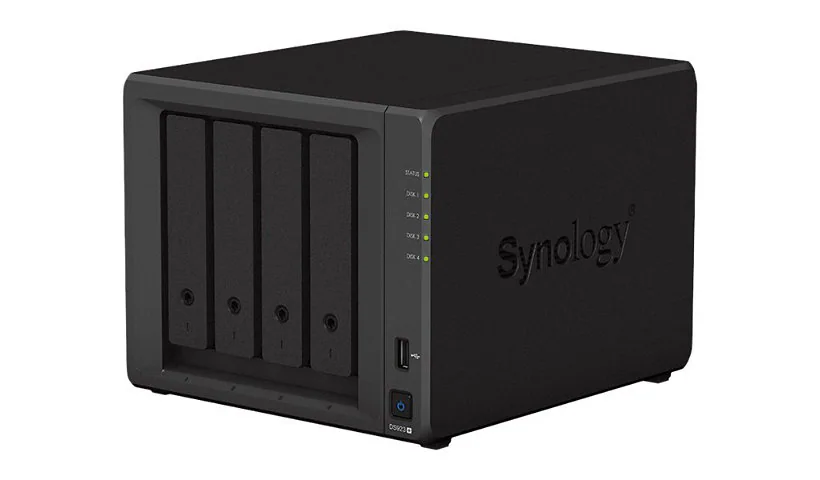
This is just one of many options though. Plex can be run off of nearly anything, particularly if you don’t plan on transcoding. If you aim to make your media collection compatible and especially if you’re streaming locally from home, you can avoid transcoding entirely. This is the preferred method. But hey, if you need it you always want to have it available – which is why the 920+ is a great choice.
Let’s look at some of the *ARR next.
Radarr, Sonarr, and Lidarr
Radarr is the application in your stack that will deal in movies. Radarr, Sonarr (TV), and Lidarr (Music) are built to look and feel pretty much identical. They all are installed and accessed via a local web server which serves out on a particular port. The defaults are:
- Radarr: 7878
- Sonarr: 8989
- Lidarr: 8686
Here is a peek at Radarr’s interface which again is identical to the other ARR:
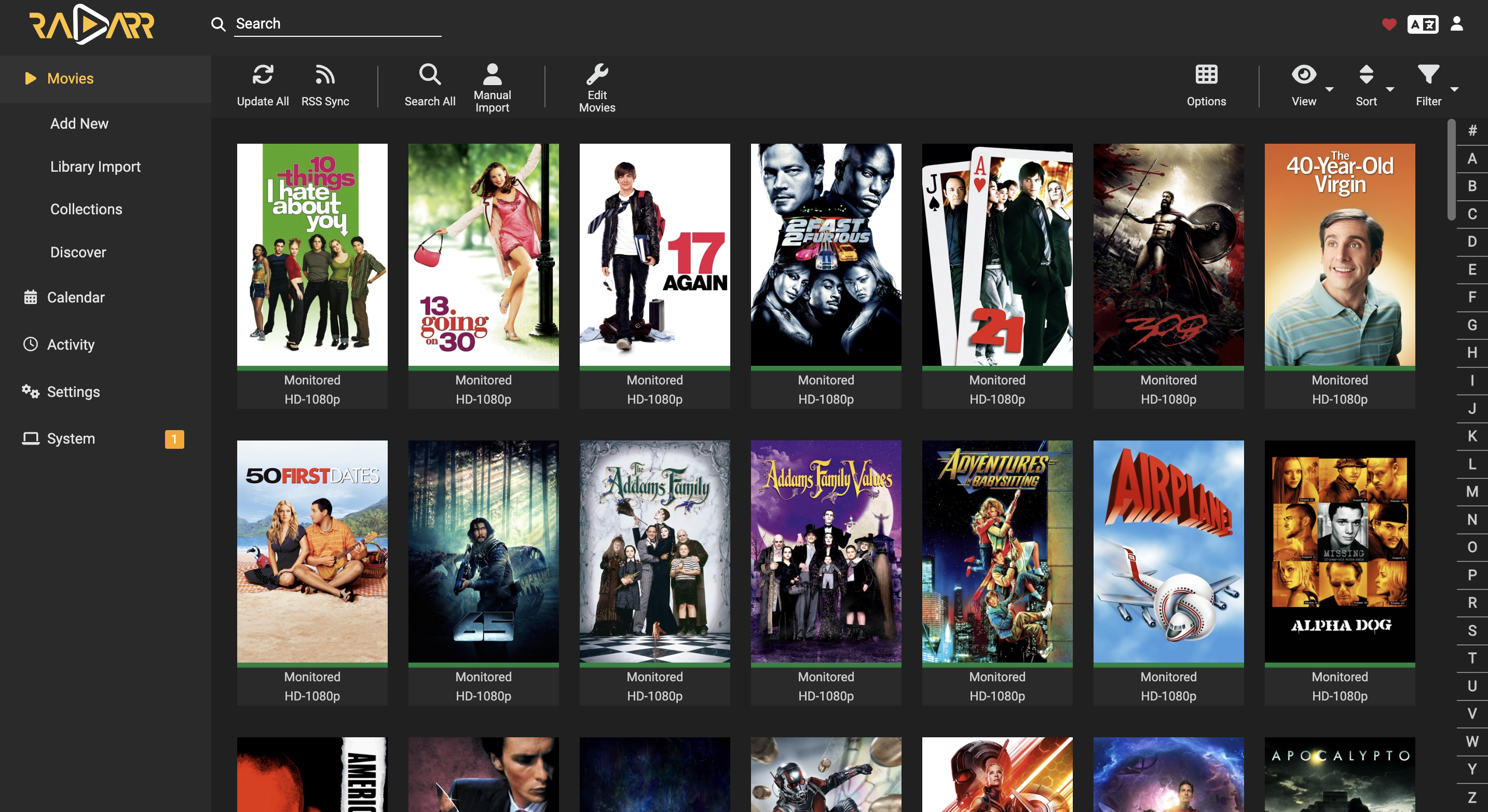
Radarr’s purpose (and the other ARR for their particular media type) is to manage a couple primary things:
- It uses your index manager (Prowlarr) to take a list of websites and search through them for media that matches your criteria. More on indexers later.
- It sends the list that it finds to your downloading apps, which is typically Sabnzbd for Usenet and Transmission for Torrents. More on downloaders later as well.
- It also renames your files into a naming scheme you specify once downloaded – such as naming movie files with a date or creating folders for TV seasons.
- Finally it moves the files from your download folder into your appropriate plex folder to be viewed
Let’s look at Prowlarr another important piece.
Prowlarr
Many people refer to Prowlarr as an indexer, but technically it manages your indexers. An indexer can be thought of as a website that houses a large amount of information on where files are located and their meta data. It stores this information in a format that programs like Radarr or Sonarr can then search through. Let’s take a look at the Prowlarr interface.
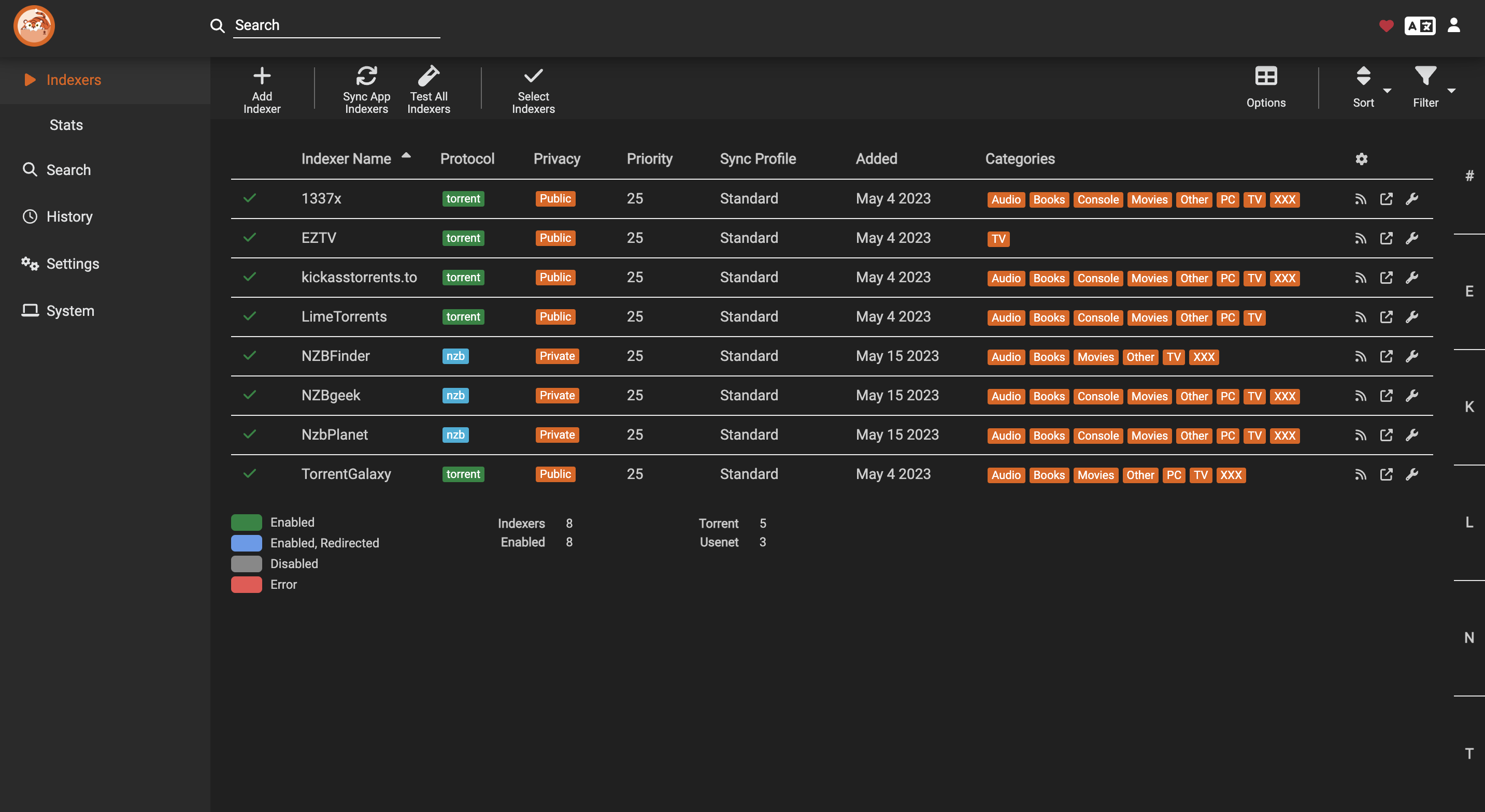
As you can see from the screenshot it’s important to have multiple indexers loaded into Prowlarr. The more indexers you have the more locations you can search for the movie or show you’re looking for. In Prowlarr, indexer information is entered such as login information and urls, and prowlarr distributes this information to your *ARR stack.
At this point we know the general flow. Prowlarr feeds indexer urls and login information to radarr and sonarr, radarr and sonarr use these sites to search for what you want, but what after that? Well of course we need downloading apps. Before we get into that though, let’s cover Usenet vs Torrenting.
Usenet vs Torrenting
When it comes to downloadable content it pretty much exists in 2 places – Usenet and Torrenting. These two methods of downloading are very different.
Torrenting
Torrenting is downloading a file from an indexer which then directs you to multiple hosts known as seeders which are hosting that file. You then download from those hosts, often people’s own machines who downloaded just like you, pieces of the overall file simultaneously.
Advantages of Torrenting:
- Often files that are difficult to find on Usenet can be found torrenting
- Older content can often be found on torrenting
Disadvantages of Torrenting:
- Since you’re downloading from people instead of a dedicated server torrents will always be slower
- Torrents require you to pay for VPN service in order to secure your connection to peers
- Due to the requirement of using a VPN the setup can be a bit more difficult
Usenet
Usenet downloads bits of a file from many dedicated servers then puts it all together. These download servers operate on a newsgroup model which is the way the internet operated before there was an internet. These servers are interconnected in a way such that if you upload a file to one, it uploads to all of them. Much like how you subscribe to a modern internet provider, you need to pay money to subscribe to this internet too. We call this a Usenet provider.
Advantages of Usenet:
- Downloading from dedicated servers tends to be dramatically faster
- Usenet files tend to be consistently better quality compared to torrents
Disadvantages of Usenet:
- The cost can be expensive since you need to pay for both a Usenet provider and most Usenet indexers are premium as well
- With all the purchasing and setting up of providers, premium indexers, and invite only indexers, Usenet can be a bit overwhelming at first
- Uploaded usenet files have an expiration period since they’re on dedicated servers. Media companies can target them more easily with cease and desist letters
I titled this section Usenet vs Torrenting but the truth is it’s not an either or situation. Usenet and torrenting can be setup side by side and really should be. Usenet is best used as a first line of defense, providing your daily downloads and first plan of attack. Torrenting will then be used if the file cannot be found in Usenet – and this can all be automated!
We have one more concept to cover, and it’s very related to these topics. The downloaders.
Downloading Apps
Once Radarr or Sonarr has used the indexer provided to it by Prowlarr to search and find the best download file, it sends this file link to a downloader app.
When it comes to torrenting and usenet, there are a couple popular applications out there. For Usenet, the choice is fairly straight forward in this author’s opinion. I prefer Sabnzbd. Nzbget was a very popular Usenet downloader but since it has been deprecated Sabnzbd has pretty much taken over.
Sabnzbd: https://sabnzbd.org/
For torrenting there are a lot more viable options. Since I use docker containers for my *ARR stack I chose a container which combines my VPN and a downloader made by someone else. My downloader though is called Transmission. Either way you slice it you’ll need a VPN to accompany your downloader for the torrenting side, and you’ll need to be sure you’re only downloading with it enabled. I happen to use NordVPN.
Transmission: https://transmissionbt.com/
Transmission/OpenVPN Combo: https://haugene.github.io/docker-transmission-openvpn/
Optional apps
Plex and the *ARR stack include quite a bit of what I would call optional applications. Here are some and their short descriptions.
- Overseerr: You have an automated download stack and you have plex streaming media to your friends. What if instead of bugging you for a new movie they could just trigger the download themselves? Overseerr allows browsing current movies and tv in a slick modern interface and requesting downloads. This request then speaks to your Radarr/Sonarr backend and gets the job done.
- See Ombi as an alternative to Overseerr.
- Tautulli: Statistics and graphs are cool. Tautulli reaches out to your Plex server and keep statistics on things like who is watching what and how often. The amount of detail Tautulli can pull is very impressive and it displays it in a nice readable web gui.
- Bazarr: This is the *ARR stack addition for downloading subtitles.
A Docker compose example
For the main portion of my stack I like to run it in Docker compose. Here is my compose file heavily commented to help you.
If you need help setting up Docker see my guide here: A deep dive on Docker
This compose file has several things of note:
- This creates containers for prowlarr, transmission/openvpn combo, radarr, sonarr, lidarr, sabnzbd, overseerr, and tautulli.
- I bind my containers config files to a local config folder with the containers name
- I use PUID and GUID 1000 which is the default user.
- I mount /bigdaddymnt/data:/mnt/data to my media containers – this is the shared storage where the media is saved which is my NAS.
1
2
3
4
5
6
7
8
9
10
11
12
13
14
15
16
17
18
19
20
21
22
23
24
25
26
27
28
29
30
31
32
33
34
35
36
37
38
39
40
41
42
43
44
45
46
47
48
49
50
51
52
53
54
55
56
57
58
59
60
61
62
63
64
65
66
67
68
69
70
71
72
73
74
75
76
77
78
79
80
81
82
83
84
85
86
87
88
89
90
91
92
93
94
95
96
97
98
99
100
101
102
103
104
105
106
107
108
109
110
111
112
113
114
115
116
117
118
119
120
121
122
123
124
125
126
127
128
129
version: "4.0"
services:
  prowlarr:
    image: lscr.io/linuxserver/prowlarr:latest
    container_name: prowlarr
    environment:
      - PUID=1000
      - PGID=1000
      - TZ=America/New_York
    volumes:
      - ./config/prowlarr:/config
    ports:
      - 9696:9696
    restart: unless-stopped
  transmission:
    image: haugene/transmission-openvpn
    container_name: transmission
    volumes:
        - /bigdaddymnt/data:/mnt/data # we give it a storage point to download our media to
    environment:
        - PUID=1000
        - PGID=1000
        - CREATE_TUN_DEVICE=true
        - OPENVPN_PROVIDER=NORDVPN # here you fill in your VPN provider of choice
        - NORDVPN_COUNTRY=US # country code (this line is specific to nordvpn)
        - [email protected] # your vpn login
        - OPENVPN_PASSWORD=REDACTED # your vpn password -- this could be done with environment variable passing for security
        - WEBPROXY_ENABLED=false
        - TRANSMISSION_DOWNLOAD_DIR=/mnt/data/downloads # download folder within attached volume
        - TRANSMISSION_IDLE_SEEDING_LIMIT_ENABLED=true
        - TRANSMISSION_SEED_QUEUE_ENABLED=true
        - TRANSMISSION_INCOMPLETE_DIR_ENABLED=false
        - LOCAL_NETWORK=192.168.10.0/24,10.10.10.3/32,10.10.10.2/32 # These are IPs you want to be allowed to view transmission in browser. Needed due to VPN tunnel.
    cap_add:
        - NET_ADMIN
    logging:
        driver: json-file
        options:
            max-size: 10m
    ports:
        - "9091:9091"
    restart: unless-stopped
  radarr:
    image: linuxserver/radarr
    container_name: radarr
    hostname: radarr
    environment:
        - PUID=1000
        - PGID=1000
        - TZ=America/New_York
    volumes:
        - ./config/radarr:/config
        - /bigdaddymnt/data:/mnt/data
    ports:
        - 7878:7878
    depends_on:
        - prowlarr
        - transmission
    restart: unless-stopped
  sonarr:
    image: linuxserver/sonarr
    container_name: sonarr
    environment:
        - PUID=1000
        - PGID=1000
        - TZ=America/New_York
    volumes:
        - ./config/sonarr:/config
        - /bigdaddymnt/data:/mnt/data # our *arr apps need access to the directory transmission is downloading to
    ports:
        - 8989:8989
    depends_on:
        - prowlarr
        - transmission
    restart: unless-stopped
    ports:
        - 32400:32400
    restart: unless-stopped
  lidarr:
    image: lscr.io/linuxserver/lidarr:latest
    container_name: lidarr
    environment:
      - PUID=1000
      - PGID=1000
      - TZ=America/New_York
    volumes:
      - ./config/lidarr:/config
      - /bigdaddymnt/data:/mnt/data
    ports:
      - 8686:8686
    restart: unless-stopped
  sabnzbd:
    image: lscr.io/linuxserver/sabnzbd:latest
    container_name: sabnzbd
    environment:
      - PUID=1000
      - PGID=1000
      - TZ=America/New_York
    volumes:
      - ./config/sabnzbd:/config
      - /bigdaddymnt/data:/mnt/data
      - /plex_temp:/plex_temp
    ports:
      - 8080:8080
    restart: unless-stopped
  overseerr:
    image: lscr.io/linuxserver/overseerr:latest
    container_name: overseerr
    environment:
      - PUID=1000
      - PGID=1000
      - TZ=America/New_York
    volumes:
      - ./config/overseerr:/config
    ports:
      - 5055:5055
    restart: unless-stopped
  tautulli:
    image: lscr.io/linuxserver/tautulli:latest
    container_name: tautulli
    environment:
      - PUID=1000
      - PGID=1000
      - TZ=America/New_York
    volumes:
      - ./config/tautulli:/config
    ports:
      - 8181:8181
    restart: unless-stopped
Summary
In summary I hope this was helpful in learning a bit about the automated media management ecosystem.